Loading, please wait...
Running
The $99 Fitbit Air Has a Catch for Runners—Read This Before Buying
Fitbit Air has no built-in GPS or screen. Compare its running tradeoffs with Charge 6 and Garmin Forerunner 165 before choosing a tracker.
We may earn a commission if you buy through links on this page.
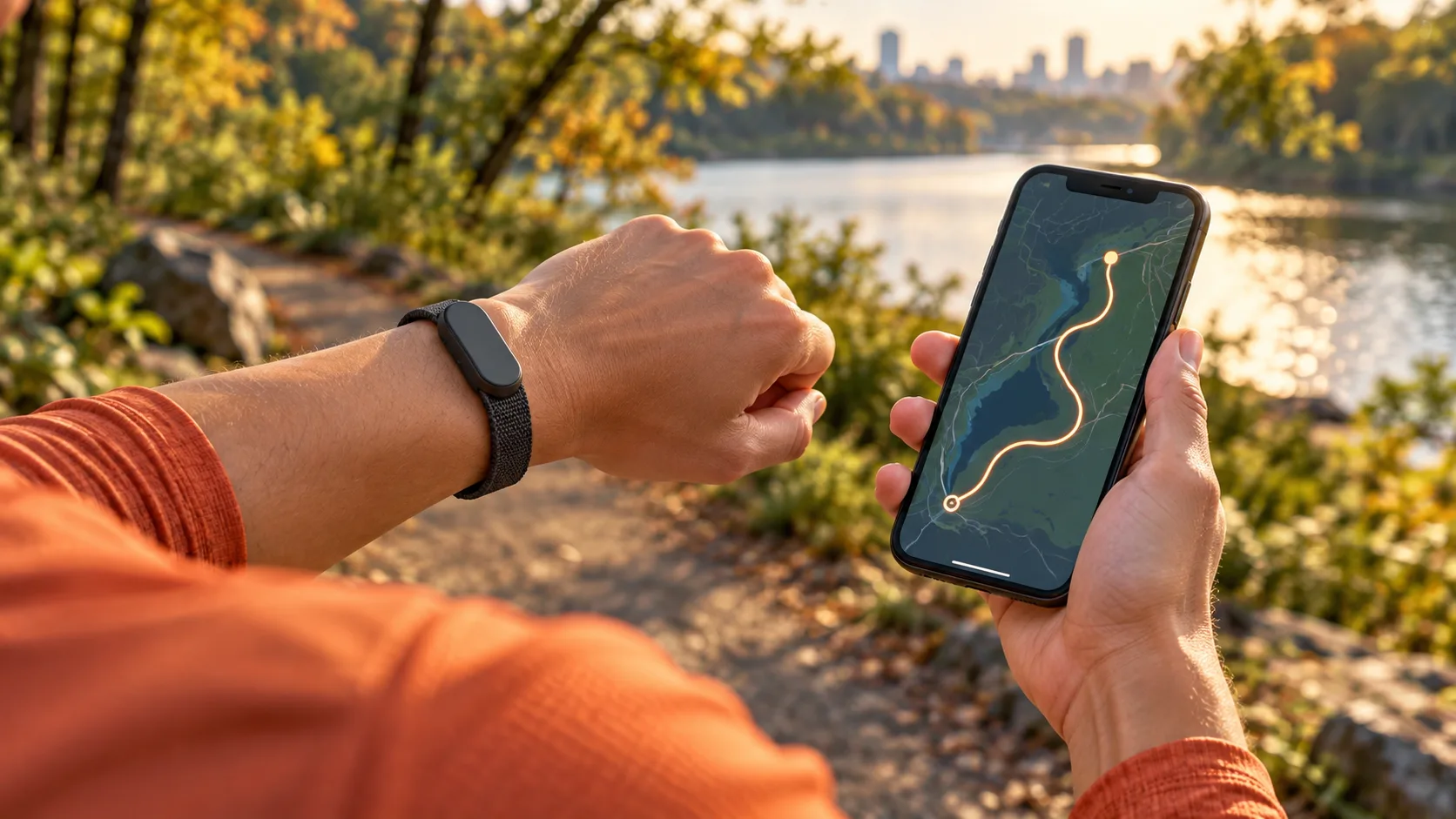
The $99.99 Fitbit Air has no built-in GPS and no screen. For runners, that means two separate decisions: whether you will carry a phone to map your route, and whether you want to see your pace on your wrist. Those answers matter more than the price.
The short answer
- Already carry your phone and prefer a screenless band? Fitbit Air is worth considering for everyday tracking and app-based workout review.
- Want a small Fitbit with a display and built-in GPS? Compare Charge 6 before buying.
- Want to leave your phone behind and follow your pace as you run? A GPS running watch such as the Garmin Forerunner 165 is the more logical starting point.
Research checked October 23, 2026. This is a researched buying guide, not a hands-on accuracy or battery test. As an Amazon Associate, AthleteXpert earns from qualifying purchases. Prices and availability can change; check the exact model, seller, and checkout total before buying.
What Fitbit Air actually is
Google positions Fitbit Air as a discreet tracker for wearing throughout the day and night. It records activity and health information for the Google Health app; it is not a tiny running watch with its display switched off. Google's getting-started guide describes steps, sleep, and heart-rate tracking, with the app doing much of the explaining.
The standard model starts at $99.99 on Google's US store. Its published specifications list a weight of 12 grams with the band and battery life of up to seven days. Those are manufacturer figures, not our measurements, and actual battery life depends on use.
That makes the Air interesting if your goal is wearing a tracker consistently without another glowing display. It makes less sense if the thing you want most is a pace readout halfway through a run.
The GPS catch: your phone supplies the route
Fitbit Air uses connected GPS rather than built-in GPS. Google's GPS support guide places it in the phone-GPS category. The phone supplies the location data used for route mapping and GPS-based running information.
With built-in GPS, the tracker or watch has its own satellite receiver. With connected GPS, carrying a compatible phone is part of the setup. Leaving the phone on your kitchen counter does not turn the Air into a standalone route recorder.
This is a purchase-fit issue, not proof that one GPS system will always be more accurate than another. We have not tested these devices against a measured course. A phone's placement, permissions, and surroundings can affect the result, so buying a compatible device is only the first step.
Can you run without your phone?
You can go running wearing the Air without carrying your phone. The important distinction is between recording activity and recording a GPS route. Don't mistake an automatically detected run, a step total, or an estimated distance for evidence of a satellite-recorded route.
Google's Air setup guide explains that the device can recognize activities for review later. It also says you can start an exercise mode and view live information through the app. For deliberate tracking, the current workout instructions direct Air users to the Fitness tab's quick-start controls.
Before your first important outing, do a short practice recording. Confirm that the intended workout is selected, your phone has the required location permissions, and the finished activity contains the route you expected. A five-minute check is better than discovering an incomplete record after your first 10K.
What the Air does well—and what the missing screen changes
The appeal is simplicity: collect information while getting on with your day, then decide when to look at it. If you find a watch display distracting, a screenless device can fit that preference without asking you to abandon tracking altogether.
The tradeoff appears during a workout. You cannot glance at a display that is not there. If you want live numbers, your phone and app become part of the interaction; a screenless wristband is a different experience from pressing a watch button and looking down at lap pace.
Automatic detection also serves a different purpose from carefully starting and finishing a timed session. Google announced expanded automatic activity detection in October, with rollout timing attached. That is useful context, but it does not add a GPS receiver or a display to the Air.
Three runners, three different buying decisions
The casual treadmill runner
If you mainly want to keep a record of regular gym visits and everyday activity, the Air's missing GPS is not the decisive drawback. Satellite route mapping does not measure distance along a stationary treadmill belt. Decide whether app-based review is enough, and do not assume a wearable's distance estimate will exactly match the machine.
The outdoor 5K runner who always carries a phone
The Air can be a reasonable fit if you already take your phone for music, contact, or directions and do not need wrist-based feedback. Make phone storage part of the decision. Our budget running essentials guide can help you prioritize the rest of your kit before spending on another device.
The runner who wants to leave the phone at home
Start with built-in GPS and a readable display. You are trying to remove a dependency from your run, so buying a phone-dependent tracker works against that goal. Phone-free GPS does not automatically mean phone-free calls, safety messages, or music: check those separately on the exact watch and version.
Fitbit Air vs. Charge 6 vs. Forerunner 165
These are three different approaches, not three devices we have independently ranked for sensor accuracy. Prices below are US manufacturer references checked during research, not Amazon offers. Garmin's $249.99 figure is its published launch MSRP; check current offers rather than treating that older figure as today's selling price.
| Device | Price reference | GPS | Screen | Advertised battery | Running fit | Subscription distinction |
|---|---|---|---|---|---|---|
| Fitbit Air | Google Store: from $99.99 | Connected phone GPS | None | Up to 7 days | Phone-carrying runners who prefer app-based review | Core tracking; paid Google Health Premium for Coach and additional features |
| Fitbit Charge 6 | Google Store: $159.95 | Built-in; also supports phone/dynamic GPS modes | AMOLED | Up to 7 days; feature use affects runtime | A compact Fitbit with on-device information | Core tracking; optional paid Google Health Premium features |
| Garmin Forerunner 165, standard model | Launch MSRP: $249.99; check current price | Built-in GPS | AMOLED with touch and button controls | Up to 11 days smartwatch / 19 hours GPS-only | Runners who want pace and distance on their wrist | Basic Garmin Connect features are free; Connect+ adds paid features |
Sources: Charge 6 specifications, Garmin's Forerunner 165 announcement, Garmin battery guidance, and Garmin Connect+ terms of comparison. Everyday battery claims and continuous-GPS hours describe different operating modes.
Subscriptions: separate tracking from the coaching pitch
Google Health is the current app name; Google Health Premium is the paid tier formerly called Fitbit Premium. Google's Coach announcement lists Premium at $9.99 per month or $99 per year. Core tracking and the paid Coach experience are different purchases.
Check the trial terms before activating an offer: eligibility matters, and an eligible trial can renew into paid membership unless canceled. Also check whether an existing Google plan already includes the benefit. Do not add an annual subscription to your budget merely because the product page makes the coaching feature prominent.
If you choose the Air and a full $99 annual Premium plan, those two stated prices total $198.99 before tax. That is a hardware-plus-one-paid-year comparison, not a first-year billing prediction or an Amazon bundle offer. Ask whether you would still want the tracker without paid coaching.
Where to shop once you know which type fits
Our Amazon checks identified the exact listings below but did not establish a dependable featured offer. The links let you inspect current options; they do not promise stock, a particular seller, or a discount. None of these purchases is necessary if your current tracker already does the job.
Fitbit Air: the screenless option
Choose this for the screenless routine, with a phone supplying GPS when you want a mapped outdoor run. The linked option is the Obsidian tracker, not a replacement band.
Charge 6: compare it if you want a display
Consider the existing Fitbit alternative when on-wrist information and built-in GPS matter. Match the Obsidian/Black option, included bands, seller, and return terms on the retailer page.
Forerunner 165: the running-watch option
Compare this for phone-free GPS recording and readable running information. The linked Black 43 mm model is the standard Forerunner 165, not the separate Music version.
Questions worth settling before buying
Does Fitbit Air have built-in GPS?
No. It uses connected phone GPS. Buying a different strap or paying for Premium does not change that hardware limitation.
Can Fitbit Air show my running pace?
There is no screen on the band. Review supported running information in the app, and use the current workout and GPS instructions for live app tracking. Choose a display-equipped device if seeing pace on your wrist is the requirement.
Do I need a subscription just to use it?
Google separates ordinary tracking from advanced paid features such as Coach. Check the current feature list and local availability rather than assuming every feature in an advertisement is included without payment.
Is it a sensible first tracker?
It can be, if a screenless band fits the way you already run. Beginner status does not automatically make the cheapest device the right one. Phone habits and the information you want during exercise are better selection criteria.
Our verdict: buy the routine you want
Fitbit Air makes the strongest case when you actively want a screenless tracker and already carry a phone. If you are trying to stop bringing your phone—or want live pace on your wrist—compare built-in-GPS devices first.
Before checking out, put your usual run into one sentence: where you go, whether you carry a phone, and what you need to see along the way. Then choose equipment that serves that routine. For the rest of your setup, explore our night-running essentials and running hub.